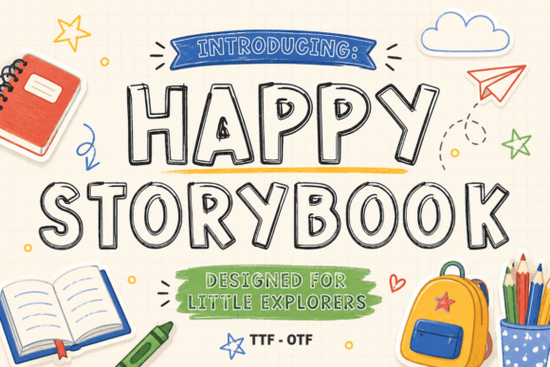
Finding the right typography for children's projects or playful branding can be tricky. You want something readable but full of character. The Happy Storybook Font is a hand-drawn outline typeface that mimics the look of notebook doodles. Its double-line sketch texture gives a whimsical feel without looking messy, making it a solid choice for crafters and educators who need a friendly, approachable style. Whether you are making classroom posters or custom stickers, this playful sketch design keeps your text clear and engaging.
What makes an outline font good for vinyl cutting?
When working with machines like Cricut or Silhouette, solid block letters can sometimes look too heavy on small items. Outline styles solve this by reducing the amount of vinyl needed while keeping the text large and legible. The double-line structure of this particular sketch font cuts cleanly because the paths are well-spaced. If you are weeding intricate letters for a toddler's water bottle or a canvas tote bag, having clear, unjoined inner lines saves a lot of frustration. For a slightly different vibe on your apparel projects, you might also explore a more structured display option like this elegant serif alternative to mix and match typography styles.
How can teachers and parents use sketch-style letters?
Educational materials need to hold a child's attention without overwhelming them. Hand-drawn letters feel less formal and more inviting for early readers. You can use this doodle-style typeface to create:
- Alphabet tracing worksheets: The hollow centers are perfect for kids to color in or trace with markers.
- Classroom reward charts: Add a playful touch to star charts or reading logs.
- Personalized birthday invitations: Give party invites a custom, hand-lettered look without spending hours drawing each word.
If you are designing a broader curriculum and need a highly readable companion typeface for body text, pairing it with a clean modern geometric sans-serif helps balance the playful headings with easy-to-read paragraphs.
Which print-on-demand products fit this doodle aesthetic?
Small business owners and print-on-demand sellers know that niche aesthetics sell. A sketched, notebook-style lettering format appeals strongly to the stationery, kids' apparel, and scrapbooking markets. Consider applying this font to:
- Die-cut stickers: The outline border makes it easy to add a white offset border in your design software.
- Greeting cards: Perfect for "Happy Birthday" or "Welcome Baby" cards where a warm, human touch matters.
- Tote bags and tea towels: The casual, hand-drawn look fits perfectly with eco-friendly, everyday items.
Sometimes a project requires a slightly more rugged or textured look. If your brand leans toward outdoor or rustic themes instead of playful doodles, checking out a rougher vintage style might give your merchandise a different edge.
How do you prepare hollow letters for cutting machines?
Getting a clean cut with outline typography requires a few specific settings in your design software. Since the letters consist of two parallel paths rather than a solid fill, the blade needs to track both lines accurately.
- Weld overlapping letters: If your design software allows it, weld the words together so the machine cuts the outer boundary as one continuous shape.
- Adjust blade pressure: Outline fonts have more linear distance to cut. Ensure your blade is sharp and the pressure is set correctly to avoid tearing the vinyl on the second pass. For more detailed instructions on adjusting machine pressure, refer to this helpful guide on vinyl cutting settings.
- Use transfer tape: Because the inner parts of the letters are hollow, applying transfer tape carefully ensures the whole word moves to your blank surface in one piece.
For digital designs where you want a highly technical or futuristic contrast to these playful sketches, a monospaced coding typeface can create a striking visual juxtaposition in mixed-media art.
Quick checklist for your next lettering project
Before you send your design to the printer or the cutting mat, run through these quick checks to ensure your text looks its best.
- Check the kerning (space between letters) to ensure the double lines do not overlap awkwardly.
- Test cut a single word on scrap vinyl to verify the weeding process is smooth.
- Ensure your document color profile matches your final output (CMYK for print, RGB for digital screens).
- If the design feels too plain, try adding a subtle drop shadow or a secondary color layer behind the hollow outlines.
Taking a few extra minutes to prep your files will save you materials and time, ensuring your final crafted piece looks professional and polished. If you ever need a highly decorative, ornate option for special event headers, browsing a classic calligraphy collection is always a good backup plan.
Explore Design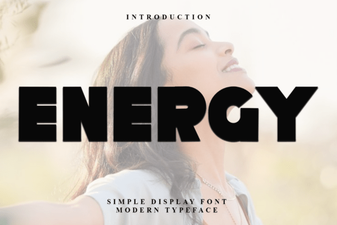 Creative Project Ideas Using Energy Font
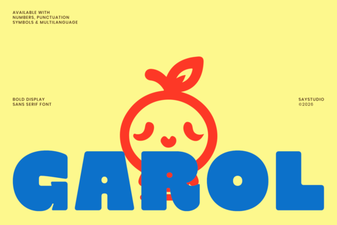 The Garol Font: Creative Uses for Your Design Projects
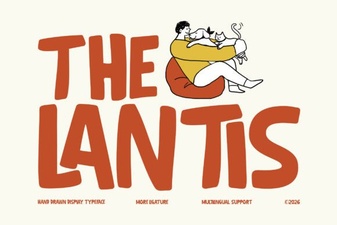 A Modern Typographic Style Guide
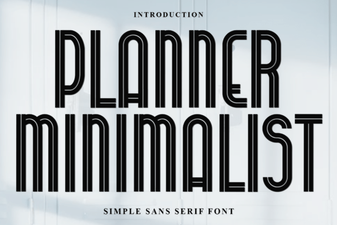 Minimalist Fonts for Clean Planner Designs
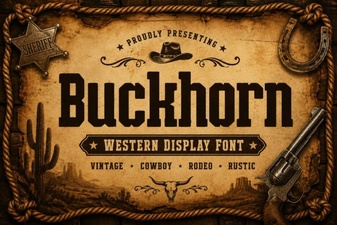 Craft Projects with Buckhorn Font's Western Charm
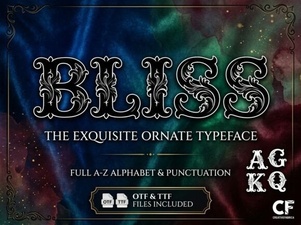 Bliss Font: Design Tips for Modern Projects